

Chromebook: A Complete Guide to Features, Benefits, Uses, and Buying Tips
Chromebooks have become popular laptops for students, professionals, and everyday users who need a fast, secure, and affordable computer. Unlike traditional laptops, Chromebooks run ChromeOS, a lightweight operating system designed for web-based applications, cloud storage, and simple everyday tasks. Their quick startup times, long battery life, and easy maintenance make them an excellent choice for education, remote work, and personal use.
Modern Chromebooks support web browsing, video conferencing, document editing, streaming, and many Android and Linux applications, making them more versatile than ever. This guide explains what a Chromebook is, how it works, its key features, benefits, applications, challenges, and tips for choosing the right Chromebook.
What Is a Chromebook?
Definition of a Chromebook
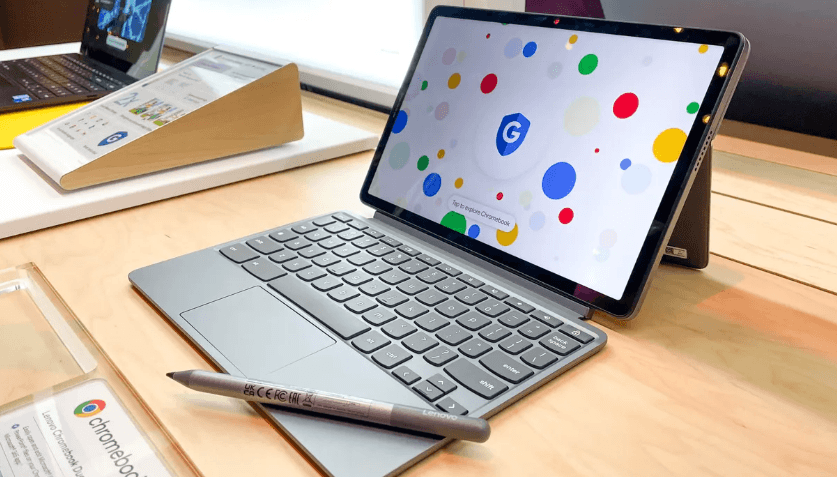
A Chromebook is a laptop or tablet that runs ChromeOS, Google’s operating system. It is designed to provide a simple, secure, and efficient computing experience with a focus on cloud-based applications and internet connectivity.
Although Chromebooks are optimized for online use, many applications and files can also be accessed offline.
How Does a Chromebook Work?
ChromeOS Operating System
ChromeOS is a lightweight operating system built for speed, security, and simplicity. It provides access to web applications, Android apps, and selected Linux software.
Cloud Storage
Chromebooks encourage users to store documents, photos, and files in cloud storage, making data accessible across multiple devices.
Web Applications
Many everyday tasks are performed using web-based applications, including email, word processing, spreadsheets, presentations, and video conferencing.
Android App Support
Most modern Chromebooks can install Android applications, expanding the range of available productivity, education, and entertainment tools.
Key Features of a Chromebook
Fast Startup
Chromebooks typically boot within seconds, allowing users to begin working quickly.
Long Battery Life
Efficient hardware and ChromeOS help many Chromebooks provide all-day battery life on a single charge.
Automatic Updates
ChromeOS automatically installs security updates and system improvements in the background.
Built-In Security
Chromebooks include multiple security features that help protect against malware, viruses, and unauthorized access.
Lightweight Design
Many Chromebooks are compact and lightweight, making them easy to carry between home, school, and work.
Simple User Interface
ChromeOS offers an intuitive interface that is easy to learn, even for first-time computer users.
Types of Chromebooks
Student Chromebooks
Designed for classrooms and online learning, these devices prioritize affordability, durability, and long battery life.
Business Chromebooks
Business models include enhanced security, management tools, and productivity features for professional users.
Convertible Chromebooks
These 2-in-1 devices can function as both laptops and tablets, offering touchscreen capabilities and flexible viewing modes.
Premium Chromebooks
Premium models feature faster processors, high-resolution displays, improved build quality, and larger storage capacities.
Benefits of Using a Chromebook
Affordable Pricing
Chromebooks are often less expensive than many traditional laptops, making them accessible to a wide range of users.
Easy to Use
The straightforward interface allows users to quickly access applications, files, and online services.
Excellent Battery Performance
Many Chromebooks provide long battery life, making them suitable for school, travel, and remote work.
Strong Security
Automatic updates and built-in security features help protect users without requiring extensive maintenance.
Quick Performance
ChromeOS is optimized to deliver smooth performance for web browsing, streaming, document editing, and everyday computing.
Applications of Chromebooks
Education
Students use Chromebooks for online classes, assignments, research, note-taking, and collaboration.
Remote Work
Professionals use Chromebooks for email, video meetings, cloud-based productivity tools, and web applications.
Web Browsing
Chromebooks provide a fast and secure experience for browsing websites, shopping online, and accessing digital services.
Entertainment
Users can stream movies, watch videos, listen to music, and read digital books using various online platforms.
Personal Productivity
Chromebooks support document editing, budgeting, scheduling, presentations, and personal organization.
Popular Chromebook Manufacturers
Several computer manufacturers produce Chromebooks for different budgets and user needs.
Acer
Acer offers affordable Chromebooks suitable for students, families, and everyday users.
ASUS
ASUS produces Chromebooks with portable designs, touchscreen options, and reliable performance.
HP
HP manufactures Chromebooks for education, business, and home use with various display sizes and configurations.
Lenovo
Lenovo provides durable Chromebooks for schools, professionals, and consumers seeking dependable everyday performance.
Samsung
Samsung offers premium Chromebooks with high-quality displays, lightweight designs, and modern features.
Challenges of Using a Chromebook
Limited Offline Functionality
Although offline capabilities have improved, some applications still work best with an internet connection.
Software Compatibility
Certain desktop applications designed for other operating systems may not be available on ChromeOS.
Gaming Limitations
Chromebooks are generally not intended for high-end gaming or graphics-intensive workloads.
Limited Local Storage
Many Chromebooks include smaller storage capacities because they emphasize cloud-based file management.
Tips for Choosing the Right Chromebook
Consider Your Usage
Choose a Chromebook based on whether you need it for school, work, entertainment, or general everyday use.
Select Enough Storage
If you frequently store files locally, choose a model with higher storage capacity.
Check Display Quality
A high-quality display improves reading, video streaming, and productivity.
Choose Sufficient Memory
More RAM provides smoother multitasking when running multiple applications or browser tabs.
Verify App Compatibility
Ensure the Chromebook supports the applications and services you use most often.
Advantages of Chromebooks
Fast and Responsive
ChromeOS is optimized for quick startup, efficient multitasking, and smooth browsing.
Low Maintenance
Automatic updates reduce the need for manual system maintenance.
Secure Computing
Built-in security helps protect users from common online threats.
Portable Design
Most Chromebooks are lightweight and easy to carry, making them ideal for students and travelers.
Frequently Asked Questions
What is a Chromebook?
A Chromebook is a laptop or tablet that runs ChromeOS, providing a fast, secure, and cloud-focused computing experience.
Is a Chromebook different from a laptop?
A Chromebook is a type of laptop that uses ChromeOS instead of operating systems such as Windows or macOS.
Can a Chromebook work without the internet?
Yes. Many applications and files can be accessed offline, although an internet connection provides the full range of ChromeOS features.
Are Chromebooks good for students?
Yes. Chromebooks are popular in education because they are affordable, easy to use, secure, and offer long battery life.
Can you install apps on a Chromebook?
Yes. Most modern Chromebooks support Android applications and selected Linux software in addition to web-based applications.
Conclusion
Chromebooks are reliable, affordable, and user-friendly computers designed for education, work, and everyday computing. With fast startup times, long battery life, built-in security, and seamless cloud integration, they provide an excellent solution for users who primarily work online or use web-based applications. By considering your storage, performance, display, and application requirements, you can choose a Chromebook that offers the right balance of portability, functionality, and value for your daily needs.
